EU EMC Directive Compliance Hub
This EU EMC Directive (2014/30/EU) hub helps determine whether electrical or electronic equipment is in scope and, if it is , what EMC assessment, technical documentation, EU Declaration of Conformity, CE marking, instructions, and operator evidence are needed before EU market placement.
Review this hub before product release, importer onboarding, distributor review, test-lab remediation, standards updates, or fixed-installation handover. Directive 2014/30/EU has applied since 20 April 2016 and sets no general periodic recertification cycle for . Annex III certificates can carry conditions, and an EMC-relevant product, installation, intended-use, or standards change can require reassessment or additional notified-body approval.
Start by documenting whether the item is , a , specific apparatus for one fixed installation, inherently benign equipment, or equipment whose EMC requirements are covered more specifically by another Union act. That classification controls the evidence and release route.
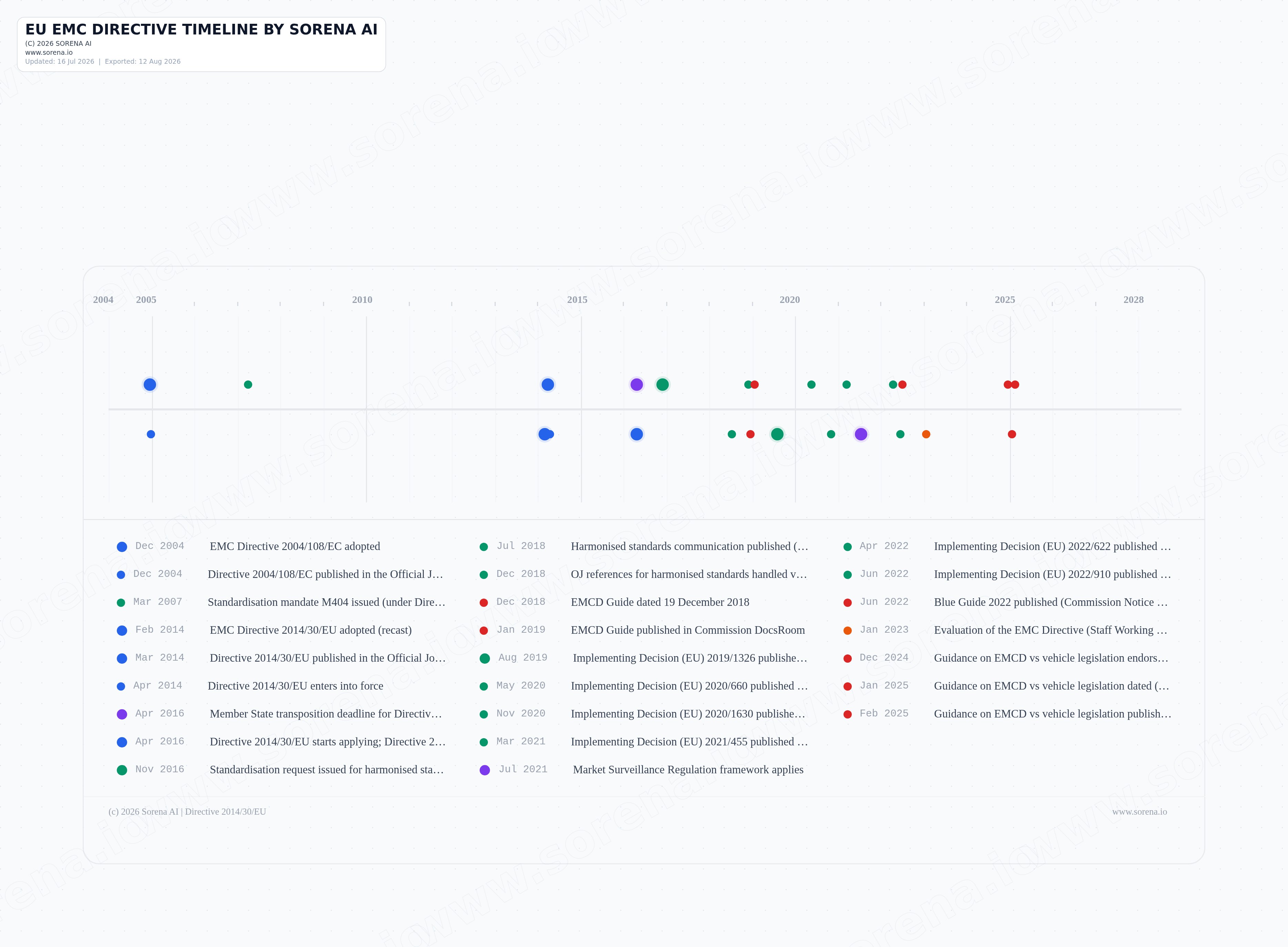
Key dates for EMC Directive planning
Directive 2014/30/EU has applied since 20 April 2016, when Directive 2004/108/EC was repealed. Track later harmonised-standard publications and withdrawals, product or installation changes, and guidance updates separately: standards and Commission guidance support the assessment, but the Directive's essential requirements and national enforcement remain controlling.
Choose the next EMC compliance decision
New to the Directive? Start by classifying the equipment. If scope is already documented, jump to testing, conformity evidence, release timing, post-market work, or the neighboring EU product rule you need to compare.
Start here: classify the equipment
Decide whether the item is apparatus, a fixed installation, specific apparatus for one fixed installation, inherently benign equipment, or equipment governed by more specific Union legislation.
Essential requirements, standards, and testing
Translate the emissions and immunity requirements into an assessment for the intended environment, then document standards coverage, deviations, configurations, and test evidence.
Conformity, release, and evidence
Choose the apparatus conformity route, assemble the technical file and declaration package, control the release gate, and keep the distinct records needed for fixed installations and post-market requests.
Dates, failures, and enforcement
Separate historical legal dates from recurring product-release and retention clocks, then prepare for test failures, corrective action, market surveillance, withdrawal, recall, and national penalties.
Compare neighboring rules or answer a focused question
Resolve boundaries with radio, electrical-safety, machinery, vehicle, and market-surveillance rules, or use the FAQ when you already know the specific question to answer.
Turn EMC scope and evidence into owned release work
This hub helps route EMC work by product model, installation context, operator role, intended environment, standards set, and release path. Assessment Autopilot can convert the guidance into owned evidence requests and review checkpoints; Research Copilot can support cited questions about scope, standards, fixed installations, and documentation.
- Start with the equipment boundary, intended use, electromagnetic environment, EU market path, and whether the case is , a , or specific apparatus for a given fixed installation.
- Use Assessment Autopilot to request the EMC assessment, harmonised-standard mapping, deviations rationale, test reports, technical documentation, DoC draft, CE marking review, user information, traceability details, importer checks, and distributor checks.
- Use Research Copilot for cited questions about inherently benign equipment, radio-equipment overlaps, Annex II versus Annex III, notified-body involvement, fixed-installation documentation, residential-use restrictions, and standards withdrawal impact.
- Keep engineering, test-lab, supplier, importer, distributor, legal, quality, release, corrective-action, and market-surveillance records connected to the same equipment file.